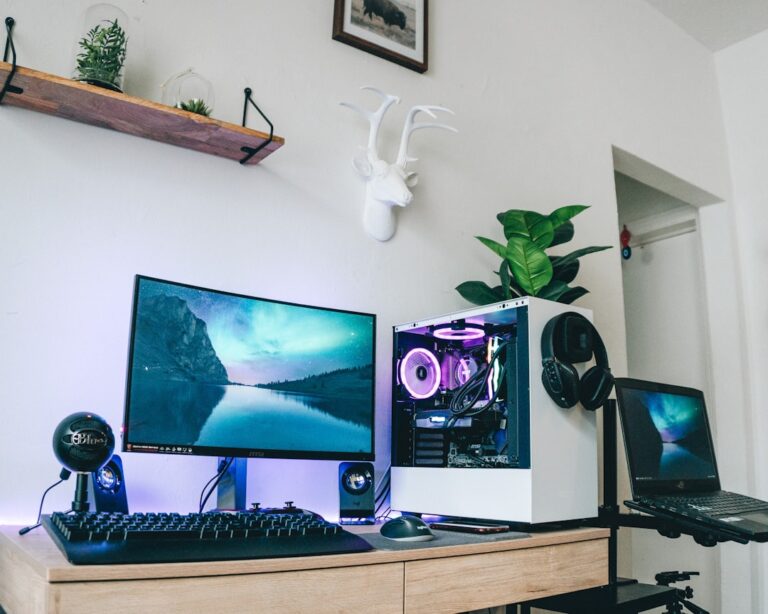

Finding the Right Monitor for an Immersive Gaming Experience
In the world of gaming, the right monitor can make all the difference. Whether you’re a casual player or a competitive gamer, the monitor you choose can enhance your experience, improve your performance, and immerse you in the virtual worlds you explore. At pixelconditions.com, we understand the importance of selecting the right gaming essentials, and today, we’re diving deep into how to find the perfect monitor for an immersive gaming experience.
First, let’s talk about the basics. When selecting a gaming monitor, you need to consider several key factors: resolution, refresh rate, response time, and panel type. Each of these elements plays a crucial role in how your games look and feel.
**Resolution** is the first thing to consider. Higher resolutions mean more pixels, which translates to sharper images. The most common resolutions for gaming monitors are Full HD (1920×1080), Quad HD (2560×1440), and 4K (3840×2160). If you want to experience the stunning visuals of modern games, aim for at least a Quad HD monitor. However, keep in mind that higher resolutions require more powerful hardware to run smoothly.
Next up is the **refresh rate**. This is measured in hertz (Hz) and indicates how many times the monitor refreshes the image per second. A higher refresh rate means smoother gameplay, which is especially important in fast-paced games. Look for monitors with at least a 144Hz refresh rate for an optimal experience. If you’re into competitive gaming, consider going for 240Hz or even 360Hz monitors.
**Response time** is another critical factor. This measures how quickly a pixel can change from one color to another, typically measured in milliseconds (ms). A lower response time reduces motion blur and ghosting, which can be detrimental in fast-paced gaming scenarios. Aim for a monitor with a response time of 1ms to 3ms for the best performance.
The **panel type** also affects your gaming experience. There are three main types: TN (Twisted Nematic), IPS (In-Plane Switching), and VA (Vertical Alignment). TN panels are known for their fast response times but have poorer color accuracy and viewing angles. IPS panels offer better color reproduction and wider viewing angles, making them ideal for immersive experiences. VA panels provide excellent contrast ratios, making them great for darker games.
Now that you understand the key specifications, let’s move on to practical tips for choosing the right monitor. Here’s a quick checklist to guide your decision-making process:
**Checklist:** Determine your budget, Research monitor specifications, Read user reviews.
**Budget** is a crucial factor. Gaming monitors can range from affordable to premium prices. Set a budget that allows you to get the features you need without breaking the bank. Remember, investing in a good monitor is investing in your gaming experience.
Once you have a budget in mind, it’s time to **research monitor specifications**. Use pixelconditions.com to compare different models and find one that meets your needs. Look for monitors that offer the specifications we discussed earlier, and don’t forget to check for additional features like G-Sync or FreeSync support, which can help eliminate screen tearing.
Finally, **read user reviews**. Real-world feedback from other gamers can provide valuable insights into a monitor’s performance and reliability. Look for reviews that mention the monitor’s gaming performance, build quality, and customer support.
In conclusion, finding the right monitor for an immersive gaming experience involves understanding key specifications, setting a budget, and doing thorough research. At pixelconditions.com, we’re committed to helping you find the best gaming essentials to elevate your gaming experience. Remember, the right monitor can transform your gameplay, making every session more enjoyable and engaging. So take your time, do your homework, and invest wisely in your gaming setup.